Skip to product information
1 of 1

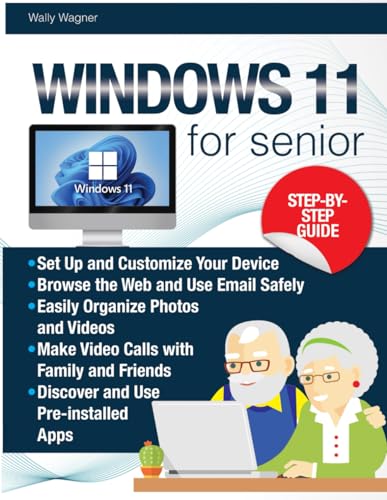
Stock cover image; actual copy may differ.

Windows 11 for Seniors: A Zero-Stress, Step-by-Step Guide with Crystal Clear Images, Perfectly Tailored for Seniors to Master Technology Effortlessly

Regular price
$92.64 USD
Regular price
Sale price
$92.64 USD

Book details

Wagner, Wally

Condition
Good
Format
Paperback
ISBN
Not listed

Has a sturdy binding with some shelf wear. May have some markings or highlighting. Used copies may not include access codes or Cd's. Slight bending may be present.

Shipping calculated at checkout.
Description
Unlock the Secrets to Effortlessly Master Windows 11 with This Zero-Stress Guide, Perfectly Tailored for Seniors! Are you eager to confidently navigate Windows 11 for your personal projects and daily tasks? Do you want to stay organized, communicate with family, and access social media without feeling overwhelmed? Or perhaps you're looking for a simple, step-by-step guide that demystifies technology and helps you feel secure and up-to-date? Then this book is for you! Windows 11 for Seniors: A Zero-Stress, Step-by-Step Guide with Crystal Clear Images is designed to empower seniors with the knowledge and confidence to master Windows 11. This comprehensive guide, filled with easy-to-follow instructions and clear images, covers everything from basic operations to advanced features. Here’s just a little of what you’ll discover inside: Getting Started with Windows 11: Introduction to Windows 11, key differences from previous versions, and how this guide can help you get set up. Essential Basics: Navigating the Start Menu and Taskbar, file management, and using basic applications like the Calculator, Calendar, and Clock. Staying Connected: Setting up and using email accounts, browsing the web safely with Microsoft Edge, and using communication tools like Microsoft Teams and Skype. Enjoying Multimedia: Managing photos and videos, using the Groove Music app, and watching TV and movies with the Movies & TV app. Personalizing Your Experience: Customizing themes and backgrounds, accessibility options, and managing widgets and virtual desktops. Maintaining and Troubleshooting: Keeping your system updated, optimizing your device, and troubleshooting common issues with ease. Safety and Security: Protecting your personal information, managing privacy and security settings, and staying safe online. Imagine being able to confidently use your computer to stay connected with loved ones, pursue your hobbies, and manage your daily tasks. How would your life improve if you could navigate Windows 11 effortlessly and securely? This all-in-one guide is your key to achieving tech-savvy success without the stress. Are you ready to start mastering Windows 11? Then scroll up and Grab Your Copy Today to get started!
ASIN: B0D9RB4Y1C
VSKU: GBV.B0D9RB4Y1C.G
Condition: Good
Author/Artist:Wagner, Wally
Binding: Paperback
Note: Any images shown are stock photographs and product may differ from what is shown.
Condition Notes: Has a sturdy binding with some shelf wear. May have some markings or highlighting. Used copies may not include access codes or Cd's. Slight bending may be present.
Shipping

We currently ship retail orders within the United States. Orders are normally prepared for carrier handoff within 1–2 business days, excluding weekends and holidays. Carrier transit time is additional.

Available services and charges depend on order value, package weight, destination, and the method selected. Checkout shows the applicable options before payment; not every order qualifies for free shipping.

Read the shipping policy.

Returns

You may request a return within 30 calendar days after delivery. Contact us before sending a book back.

Customers pay change-of-mind return postage. For a wrong, damaged, or materially misdescribed item, we provide a prepaid return label or another resolution you accept. See the policy for eligibility, original shipping charges, and refund timing.
Read the returns and refund policy.

Windows 11 for Seniors — used book cover